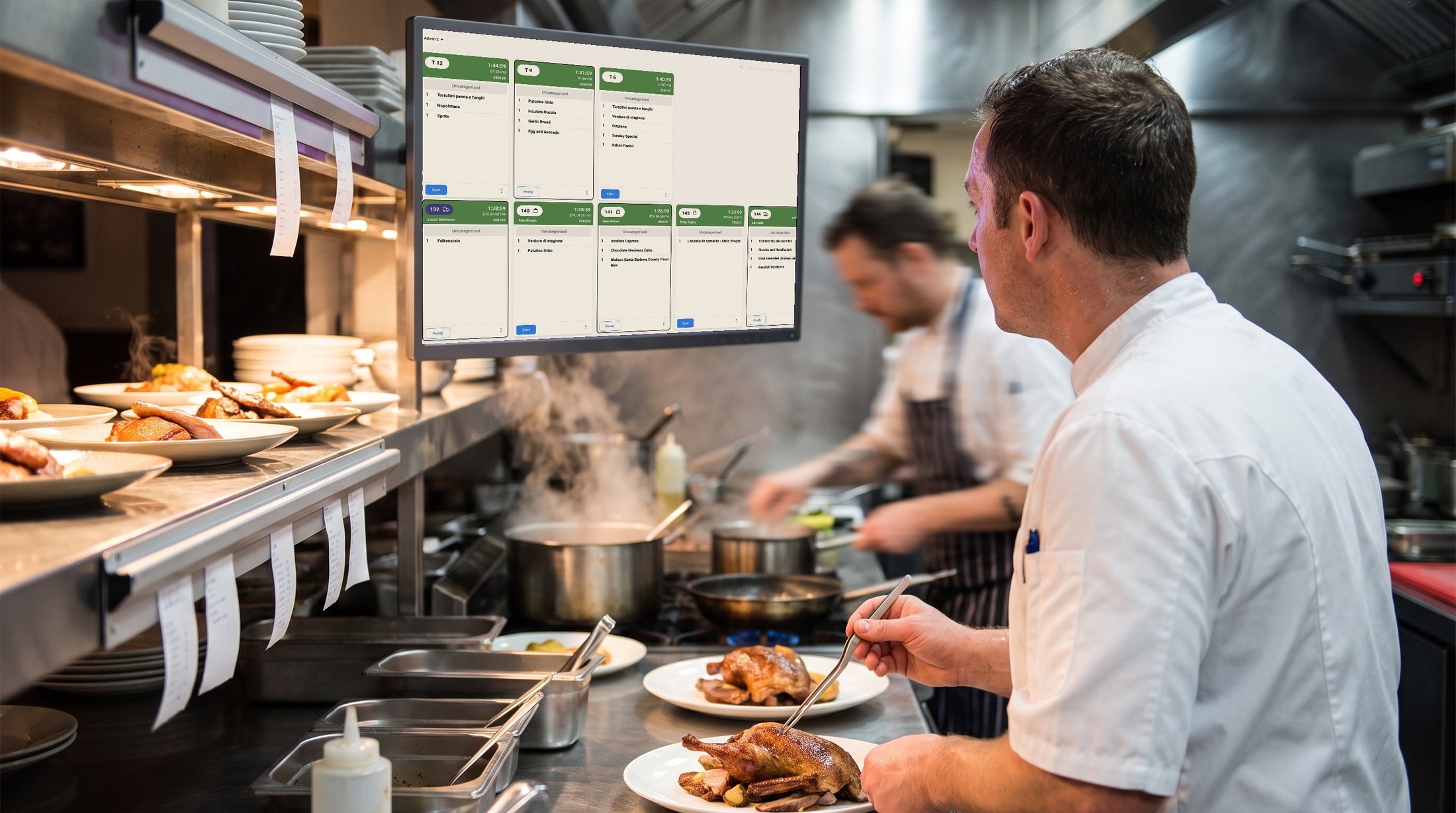
The printer jams at 7:40 on a Friday. Someone reprints, someone else assumes the ticket was already fired, and one table waits eleven minutes longer than the table that ordered after them. Every kitchen has a version of this story, and none of them are about a lazy chef. They’re about a system that hands the pass a pile of paper and expects a human to sort it under pressure.
A kitchen display system (KDS) replaces the ticket printer with a screen that sequences every order automatically and flags the ones running late, so the kitchen works from one queue instead of a rail of curling paper. Asky’s version goes further: it groups orders going out on the same delivery run, reports on exactly where time gets lost, and lets the chef message a waiting customer directly, in one tap, when something’s behind.
Sequencing is the actual job at the rush
A ticket printer prints in the order orders were placed. That is not the order the kitchen should cook in, and any head chef will tell you the difference. Six tickets land in ninety seconds and someone has to decide, in their head, what fires now and what waits — while also cooking.
One queue instead of six bits of paper
Asky’s KDS sequences orders as they land, so the pass works from a single ordered list rather than tickets competing for attention on a rail. Nothing gets buried under whatever printed on top of it, and nothing gets fired twice because two people picked up the same slip.
Modifiers survive the trip
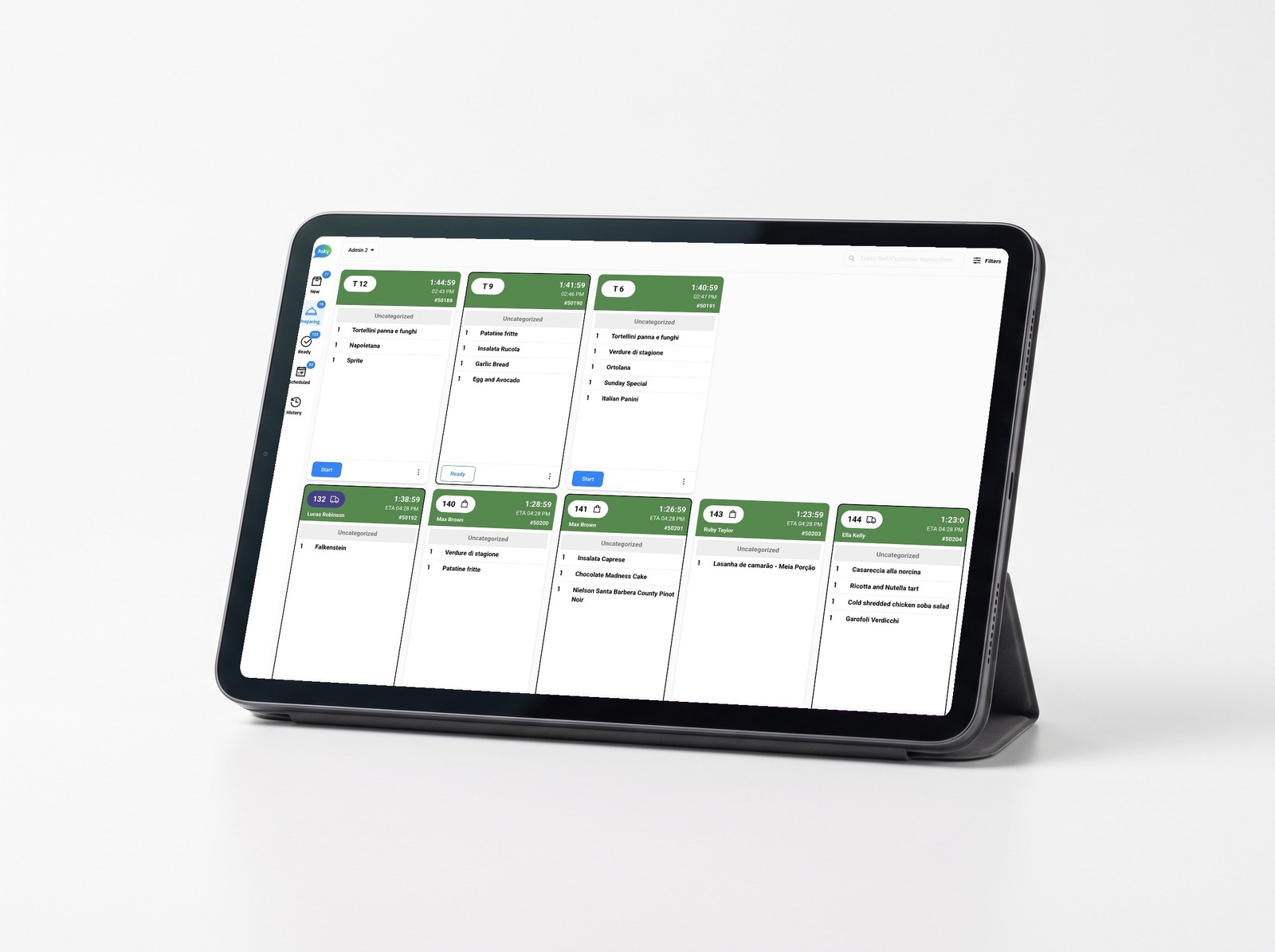
Every modifier, allergen note and dietary tag the customer selected shows on screen exactly as it was entered. No handwriting, no “no onions” scrawled in a corner, no reprint that drops the detail. It’s the same menu data from the ordering screen to the line.
Every channel lands on one screen
If your counter has a tablet for each delivery marketplace plus your own online ordering, the kitchen is running several queues that don’t know the others exist. Total load is invisible, promise times are guesses, and “the person who watches the tablets” is a labour cost nobody budgeted for.
With Asky, orders from every channel land on the same screen — table, counter, QR, phone, your own online ordering and the marketplaces — in one sequence. The kitchen doesn’t need to know where an order came from. It needs to know what to cook next.
Delays get caught before the customer complains
The expensive failure isn’t a slow order — it’s a slow order nobody spotted. On paper, a 22-minute ticket and a 6-minute ticket look identical.
Asky runs a timer on every order and surfaces the ones running long while there’s still time to do something: bump the priority, fire the second half, or catch it before the table — or the customer at home — starts wondering where their food is. Because the screen is synced with the floor, a manager can see the same picture without walking into the kitchen to ask “how long on 14?” — which is the single most disruptive sentence in any service.
The chef can say so, directly, in one tap
For a delivery order running behind, the customer isn’t watching a kitchen — they’re watching their phone, at home, with no idea whether the order was forgotten. Asky lets the chef send a message straight from the KDS screen: one tap fires a standard note apologising for the delay and confirming the order is being prepared as fast as possible. No manager has to notice, nobody has to call, and it doesn’t route through a support desk — it’s the person actually cooking, telling the person actually waiting, in the time it takes to tap a button.
A delivery manager groups the run. The kitchen sees it as one colour.
A driver doing three drops in one run is only as efficient as the kitchen lets them be. If the first order finishes ten minutes before the third, it’s cold by the time the driver has all three in hand — or the driver waits at the pass instead of driving.
A delivery manager groups the orders going out together, and the kitchen sees the group instantly: every ticket in that run gets the same colour on the KDS screen, so the person cooking knows at a glance which plates need to land at the same moment, not just which orders are due soonest. The kitchen paces to the run, not just to each ticket in isolation — and the driver leaves once, with everything hot, instead of making a second trip back to the pass.
Paper tickets vs. a kitchen display system — what actually changes
A ticket printer is cheap and it’s familiar, which is why so many kitchens still run on one. It’s also a single point of failure: it jams, it runs out of paper mid-rush, and once a ticket prints, there’s no way to flag it as late, reprioritise it, or confirm anyone actually picked it up. The information only ever travels one way, from the till to the pass, and it stops the moment the paper does.
A kitchen display system keeps that information alive after it arrives. An order doesn’t just print — it sits in a queue that tracks its own time, that a chef can bump or reorder, that shows a manager the same picture from the floor, and that clears only when someone marks it done. Nothing about a screen makes a chef cook faster. What changes is that nothing gets lost, buried or forgotten between the till and the plate — which is where a paper ticket’s information always used to run out.
What a kitchen display system costs — and why Asky’s model is different
The standard deal in this category is a per-screen monthly licence sitting on top of the POS licence, on a multi-year term, and dedicated kitchen hardware sold at a markup. Asky charges one low monthly fee plus a small commission per order, tailored to your venue, with no lock-in contract, and the display runs on a standard tablet or screen.
That matters most for the second screen. Adding one shouldn’t mean another line item and another contract — it should just mean plugging in another tablet.
Where the kitchen screen fits in the rest of your operation
For Asky, the KDS isn’t a standalone product with its own login and its own bill. It’s part of one platform that also runs ordering, POS, the customer database and reviews — so the order the kitchen cooked, the channel it came from and the customer behind it are the same record, not three exports from three vendors that never reconcile. You own that data, which is the part a marketplace tablet has never given anyone.
Know which section, which shift, and which item is actually slow
“The kitchen felt slow on Friday” is a feeling, not a number — until there’s a report behind it. Asky’s KDS reports break every order down by section, so a multi-station kitchen — kitchen, bar, pizza oven, wherever the tickets route — shows its own queue time, cooking time and total time, instead of one blended average that hides which station is actually the bottleneck.
The same report names the slowest section and the slowest shift directly — not “sometime last week,” but a specific station on a specific day — plus a ranked list of the quickest and slowest items cooked, so one dish dragging the whole ticket down doesn’t stay invisible inside an average. Day-by-day and time-of-day views show whether Friday is actually the problem, or just the day everyone assumes it is.
None of it requires exporting anything or asking someone to pull a spreadsheet. It’s the same screen the kitchen already works from, read backwards.
Frequently asked questions
Do I need special hardware for a kitchen display system?
No. Asky's kitchen display runs on a standard tablet or screen, so you can use hardware you already have or buy off the shelf. There's no proprietary kitchen terminal to purchase, and there's no per-screen monthly licence if you want a second one.
Can I keep printing tickets as well as using the screen?
Yes. Asky works with common kitchen printers, so you can run paper and screen side by side through the changeover, or keep a printer permanently for one station or for the driver copy. The difference is that the screen becomes the source of truth and the printer becomes optional rather than critical.
Do delivery marketplace orders show on the same screen?
Yes. Marketplace orders land in the same sequence as your table, counter and direct online orders, so the kitchen works from one queue instead of a staff member watching a row of tablets and re-keying orders.
How long does it take to get the kitchen using it?
There's very little to teach, because the kitchen only ever sees the kitchen view. Role-based views mean the chef's screen shows orders and timers and nothing else, so the training is closer to a shift briefing than a system rollout.
How much does a kitchen display system cost?
From one low monthly fee plus a small commission per order, tailored to your venue — not a per-screen licence. There's no lock-in contract, and adding a second screen means plugging in another tablet, not signing anything new.
Can I see kitchen performance data, like which shift or item is slowest?
Yes. KDS reports break down queue time, cooking time and total time by section, plus the slowest shift and a ranked list of the quickest and slowest items — all from the same screen the kitchen already uses, with no export required.
Can the kitchen message a customer directly if an order is running late?
Yes. One tap from the KDS sends a standard delay message straight to the customer — no manager, no phone call, no separate app. It's the chef telling the person waiting, not a system notification routed through someone else.